admin
admin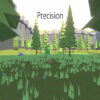
The Precision game is a minimalist, polygon-style multiplayer first-person shooter where you can challenge friends. Its straightforward control scheme covers movement, weapon selection, firing, aiming, reloading, jumping, and communication. Learning these inputs before a match can make it easier to focus on your surroundings and respond quickly.
What to expect from the Precision game
Precision presents its action through a simple polygon-inspired visual style. The game is designed for multiplayer play, so you can compete with companions rather than play only on your own. The available information does not specify particular maps, match objectives, or game modes, so check the options shown in the game before starting.
In a first-person shooter, it helps to become comfortable with the basic actions before trying to move and aim at the same time. If you are new to the controls, take a moment to identify the keys and mouse actions listed below. This can reduce mistakes during a fast exchange.
Precision game controls
- WASD: Move around.
- Scroll wheel: Change weapons.
- R: Replenish.
- Left mouse button: Fire.
- Right mouse button: Zoom.
- Space: Jump.
- T: Communicate.
These controls provide the core actions needed to navigate and engage in a match. The exact effect of replenishing and the communication options may depend on what the game displays, so follow any on-screen prompts if you need more detail.
Practical tips for getting started
- Practice movement first: Use WASD to get used to moving in different directions before adding aiming and firing.
- Check your selected weapon: Scroll through your available armaments when needed, and confirm the selection before firing.
- Use zoom deliberately: The right mouse button activates zoom. Try it when you want a closer view, then release or use it again according to the game’s behavior.
- Remember replenishment: Press R when replenishing is needed, and pay attention to any indication that the action has completed.
- Communicate with teammates or companions: T is the communication key, which can help coordinate play when communication is useful.
Getting comfortable with Precision
As with other first-person shooters, coordinating movement, aiming, and weapon selection can take practice. Start with the basic inputs, then add jumping and zooming as you become more familiar with the controls. For a smoother session, make sure your keyboard and mouse are working as expected and that you know which input performs each action.
The Precision game keeps its listed controls easy to learn while offering multiplayer shooter action in a minimalist polygon style. Familiarity with WASD movement, mouse actions, R, Space, and T is a useful starting point before challenging friends.