admin
admin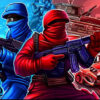
Counter Terror is a first-person action game that combines team-based combat with drivable vehicles. Players can choose between two match types, use more than 10 weapon types, and explore 8 maps. Knowing the controls and where vehicles are available can help you get oriented before joining a match.
Counter Terror game modes and maps
The available match types are DeathMatch and Team DeathMatch. DeathMatch focuses on individual combat, while Team DeathMatch divides players into opposing teams. Choose a mode based on whether you prefer fighting independently or coordinating with teammates.
There are 8 maps in total. Vehicles can be generated on the maps named “Gran Ciudad” and “GTA SA.” If you plan to use a vehicle, check that you are playing on one of these maps before looking for the garage.
Weapons, ranks, and clans
More than 10 types of weapons are available at no cost. Players can switch between weapons using the number keys, the middle mouse button, or the E and Q keys. Reload with R, pick up a weapon with F, and use the right mouse button to aim. Learning these controls early can make it easier to respond during a match.
Counter Terror also includes military ranks. The game description states that there are 5 ranks and that each higher rank doubles the power of all weapons. It says players begin as an ordinary soldier, then lists Soldier, Lieutenant, Major, Colonel, and General as the subsequent progression. The description’s stated rank count and listed progression do not match, so check the in-game rank display for the exact order.
Players can join one of two clans: “CCCP” or “DOLG.” If you want to play with a group, choose a clan and use the in-game chat to communicate. Press T to open chat and H to show or hide it.
Vehicle locations and controls
To generate a vehicle, go to the garage on a supported map and press the “Vehicle Call” button. You can drive the vehicle and fire from it. Enter a vehicle with Enter, move it using WASD, change the camera view with C, and exit with the space bar. Use F or the left mouse button to fire from a vehicle. The L key triggers the police alert.
Counter Terror controls
- Tab: Open the menu; P: Toggle full screen.
- WASD or arrow keys: Move; Left Shift: Run.
- Space bar: Jump on foot or exit a vehicle.
- C: Crouch on foot or change the vehicle camera view.
- Left Ctrl: Lie down.
- 1–9, middle mouse button, E, or Q: Change weapon.
- Left mouse button: Fire; right mouse button: Aim.
- R: Reload; F: Pick up a weapon or fire from a vehicle.
- Enter: Enter a vehicle; T: Open chat; H: Show or hide chat.
For a straightforward start, learn the movement and weapon controls first, then try vehicle play on Gran Ciudad or GTA SA. Counter Terror offers both solo-focused and team-based match types, with vehicle combat and rank progression adding further ways to play.