 admin
admin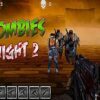
Zombies Night 2 is a first-person shooter set during a dark night when zombies emerge and attack a city. Your mission is to protect the city by aiming carefully and eliminating the zombies. Knowing the controls before you begin can make it easier to switch weapons, reload, and use a grenade when needed.
Zombies Night 2 Gameplay
The game puts you in the role of a defender facing a zombie threat. You use the mouse to aim and fire, so keeping your aim controlled is important. Rather than moving the mouse unpredictably, make deliberate adjustments as you line up a shot. This can help you stay focused on the immediate threat while responding to the attack.
The objective is straightforward: safeguard the city and take out all the zombies. Pay attention to what is happening on screen, and avoid spending time switching weapons or reloading at the moment you need to aim. A quick review of the controls before playing can help you react more smoothly.
Controls and Key Functions
- Mouse: Aim and shoot.
- R: Reload.
- G: Use a grenade.
- 1–6: Switch between weapons.
Remembering these inputs makes it easier to focus on the action. If you need to reload, use the R key; if you want to change your weapon, use one of the number keys from 1 to 6. The grenade is assigned to G, so take care not to press it unintentionally while trying to use another control.
Practical Tips for Playing
- Keep your aim steady: Use measured mouse movements to line up shots instead of making large, sudden movements.
- Learn the weapon keys: The number keys from 1 to 6 let you switch weapons. Familiarity with these controls can reduce hesitation during play.
- Reload with awareness: Press R when you need to reload, and try to do so when you can spare a moment to focus on the control.
- Use the grenade deliberately: G activates a grenade. Make sure you intend to use it before pressing the key.
These are general control tips rather than guarantees about how a particular weapon or grenade behaves. The game’s on-screen action is the best guide to timing your decisions.
What to Expect from Zombies Night 2
Zombies Night 2 keeps its central challenge focused on defending a city from zombies in a first-person shooting setting. The simple control scheme gives you direct access to aiming, firing, reloading, grenade use, and weapon selection. Players who prefer action games can get started by learning the mouse and keyboard inputs, then concentrating on the objective of eliminating the attacking zombies.
Conclusion
Zombies Night 2 is a first-person zombie shooter in which you defend a city during a dark-night attack. Use the mouse to aim and shoot, R to reload, G for a grenade, and keys 1–6 to change weapons. Remembering these controls helps you focus on the main task: protecting the city and eliminating the zombies.


