admin
admin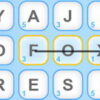
Word Finder is a quick HTML5 word game that challenges you to discover as many words as possible in two minutes. Play using a touchscreen or a mouse, and use the short time limit to test your vocabulary, focus, and speed. A few simple habits can help you stay organized and make better use of each round.
How to Play Word Finder
Start the game and follow the on-screen instructions. The goal is to find as many acceptable words as you can before the two-minute timer runs out. Tap to play on a touchscreen, or use the mouse to interact on a computer.
Because each round is brief, it helps to understand the controls before the timer begins. Check how the game registers a word and how to submit it, if those options are shown. This avoids losing time while you are trying to play.
Tips for Finding More Words
- Begin with familiar words. Look for words that come to mind quickly rather than spending too long on one possibility.
- Stay systematic. If the game displays letters or another set of clues, scan them in an orderly way. A consistent approach can help you notice combinations you might otherwise miss.
- Try different word lengths. When the rules allow it, consider both short and longer words instead of focusing on only one type.
- Keep moving. If a word is not accepted or you cannot find another option, move on. With only two minutes available, time is an important part of the challenge.
- Use each round to learn. Notice which searches help you find words efficiently, then try that approach in your next game.
Playing on a Touchscreen or with a Mouse
Word Finder supports touch and mouse input, so you can choose the control method that feels most comfortable. On a touchscreen, use deliberate taps to avoid selecting the wrong item. With a mouse, position the pointer carefully and follow the game’s displayed controls. If an action does not register, pause briefly and check the instructions rather than repeating it quickly.
Make the Most of the Two-Minute Challenge
The timer makes Word Finder a fast-paced activity, but accuracy still matters: a word needs to match the game’s rules to count. Focus on steady progress instead of rushing through every move. If you are playing for the first time, use an early round to become familiar with the interface and any word-validation rules, then concentrate on improving your pace in later rounds.
Conclusion
Word Finder offers a simple, time-limited way to practise word recognition and vocabulary. Start by learning the controls, use a systematic search, and move on quickly when you get stuck. With a two-minute limit and support for mouse or touchscreen play, Word Finder is easy to try whenever you want a short word-game challenge.