 admin
admin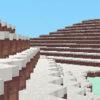
WinterCraft is an adventure and construction game set in a snowy, block-style environment. Its simple controls let you move through the world, jump, manage your inventory, and create or remove objects. Whether you are beginning an exploration or working on a build, learning what each control does makes it easier to interact with the surroundings.
What to expect in WinterCraft
The game combines exploration with construction in a winter setting. The block-based design supports building and changing the environment, while the adventure element encourages you to move around and see what is nearby. The available information does not specify particular missions or objectives, so you can start by getting comfortable with movement and the basic interaction controls.
A useful first step is to move around the area before making changes. This gives you a better sense of where you want to build and helps you avoid removing or placing blocks by mistake.
WinterCraft controls
- WASD: Move around the environment.
- Space Bar: Jump.
- Right-click: Create or place blocks.
- Left-click: Destroy blocks.
- E: Open or close the inventory.
Use the movement keys to approach the area you want to explore or modify. Jumping can help you navigate changes in elevation. When interacting with blocks, keep in mind that the mouse buttons have opposite roles: right-click creates, while left-click destroys. Check your aim before clicking, especially when working on a structure you want to keep.
Building and exploring tips
Plan a small build first
Try a simple construction project to learn how block placement works. Starting with a small section makes it easier to understand the controls and correct any unintended changes. You can expand the build once you are comfortable placing blocks accurately.
Use the inventory as needed
Press E to access the inventory, then press E again to close it. If you are unsure what is available, checking the inventory before building can help you understand which items or blocks you can use. The game description does not list specific inventory contents, so explore the menu directly rather than assuming particular materials are included.
Explore carefully
Move at a manageable pace and use the jump control when needed. If you want to reshape the environment, make changes deliberately: left-click removes blocks, so avoid clicking on structures or areas you intend to preserve.
Getting started with WinterCraft
WinterCraft offers a straightforward way to explore a blocky winter world and experiment with construction. Learn the WASD movement, test jumping with the Space Bar, and remember which mouse button creates or destroys blocks. Open the inventory with E when you need to review its contents. With these basics in mind, you can approach WinterCraft’s exploration and building at your own pace.


