admin
admin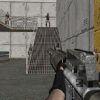
In Warfare Area, enemy forces have taken your stronghold, and you are the last warrior from your unit still inside. Your objective is to confront the attackers and try to push them back. Before moving into the fight, learn the basic controls so you can navigate the area and aim without hesitation.
How to play Warfare Area
The controls use the keyboard for movement and the mouse for aiming and firing. The listed controls are:
- W, A, S, D: Move your character.
- Mouse: Aim and fire.
- L: Secure or lock the mouse, as indicated in the game controls.
If you are new to the game, take a moment to check how movement and aiming feel before advancing. Small, deliberate movements can make it easier to keep your aim steady, while familiarizing yourself with the mouse-lock control may help prevent the pointer from leaving the play area.
Movement and aiming tips
Use the WASD keys to adjust your position and the mouse to line up your shots. Try not to move and aim in a rush: pause briefly to orient yourself, then make controlled adjustments. If enemies are approaching from different directions, scan the visible area regularly rather than focusing on a single spot for too long.
Pay attention to the surroundings as you move through the stronghold. If the environment provides places to take cover, use them to assess where the attackers are before exposing yourself. Avoid assuming that movement alone will keep you safe; deliberate positioning and awareness are useful in most action games.
Using the mouse-lock control
The control list assigns the L key to securing the mouse. This may be useful when you want the pointer to remain focused on the game while aiming. If the control does not behave as expected, check the game’s on-screen instructions or settings, since control behavior can vary by version or device.
For smoother play, use a mouse surface that allows comfortable movement and keep the keyboard easy to reach. If you are playing on a laptop, make sure the mouse or trackpad movement feels precise enough for aiming before entering a difficult encounter.
Prepare before the confrontation
Warfare Area centers on defending a stronghold after it has been seized by enemy forces. Stay attentive, move with purpose, and use the controls consistently. Getting comfortable with WASD movement, mouse aiming and firing, and the L mouse-lock function can help you focus on the confrontation instead of searching for the right input.
Conclusion
Warfare Area is a straightforward combat challenge: move through the stronghold, aim with the mouse, and face the attackers as the remaining warrior. Learn the controls first, keep your movements measured, and pay attention to your surroundings as you try to push the enemy back.