 admin
admin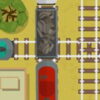
Traffic Command is a quick-play traffic management game that puts your timing and attention to the test. Click or tap the screen to start, then click on trains to make them move faster. Your goal is to manage their movement, avoid collisions, and earn as many points as possible across three levels.
How to Play Traffic Command
The controls are simple: use a mouse click on a computer or tap the screen on a touch device. Once the game begins, select a train to speed it up. Each decision can affect how traffic develops, so watch the trains before acting rather than clicking without a plan.
- Start the game: Click or tap the screen.
- Speed up a train: Click or tap the train you want to move faster.
- Avoid collisions: Keep track of train positions and respond when their movement may bring them into conflict.
- Build your score: Continue managing traffic and see how many points you can earn.
For more controlled play, use deliberate clicks or taps and check the screen after each action. This makes it easier to notice how your choice has changed the traffic situation.
Tips for Avoiding Train Collisions
Good timing matters more than speed alone. Before speeding up a train, look at the positions of the other trains and consider whether a faster approach could create a collision risk. When several trains are moving, focus on the ones that appear most likely to cross paths or reach a conflict point first.
- Scan the full screen: Do not focus on just one train; other traffic may affect your next move.
- Act with purpose: Speed up a train when doing so helps you manage the situation, not simply because it is available to select.
- Reassess after each move: A click or tap changes a train’s speed, so check the updated positions before making another decision.
- Stay composed: A steady rhythm can help you make clearer choices when the traffic becomes demanding.
These are general gameplay approaches rather than guaranteed ways to achieve a particular score. The best move depends on the positions and movement of the trains during your session.
Three Levels and Scoring
Traffic Command includes three levels, giving you several stages in which to test your reflexes and strategy. The game invites players to see how many points they can score, but the available description does not specify how points are awarded or whether the levels have different rules. Pay attention to the on-screen action and use each level to refine your timing.
If you are new to the game, begin by learning how train selection affects movement. Once the controls feel familiar, focus on anticipating potential collisions while keeping an eye on your score. Mouse and touchscreen players can follow the same basic approach; choose the input method that lets you select trains accurately.
Conclusion
Traffic Command combines straightforward click-or-tap controls with a challenge that rewards observation and timely decisions. Speed up trains carefully, monitor their positions, and aim to avoid collisions as you progress through all three levels. Whether you are playing for a quick round or trying to improve your score, Traffic Command is easiest to approach when every move has a clear purpose.


