 admin
admin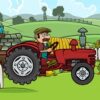
Tractor Delivery is a compact physics-based game about moving cargo from a warehouse to a factory. You drive a tractor, carry objects along the route and earn coins according to how many items you deliver. Those coins can be used in the garage to get different tractors and trailers or improve your equipment. A careful approach to driving can help you transport more cargo on each run.
How Tractor Delivery works
The main goal is straightforward: take objects from the warehouse to the factory. Carrying more items means earning more coins, so each trip is an opportunity to build up your in-game balance. The garage also serves as the shop, bringing vehicle and trailer options together with available improvements.
There are four tractors and four trailers available. You can use the coins you earn to purchase options or upgrades in the garage. If you are deciding how to spend your balance, check the available choices before buying and consider whether you want to change your tractor, your trailer or improve your current setup.
Tractor Delivery controls
The game uses keyboard controls for driving and vehicle handling:
- W, A, S, D: Move the tractor.
- X: Use nitro.
- Space: Use the handbrake.
Before attempting a cargo run, take a moment to get comfortable with the movement keys. Try the handbrake and nitro in a controlled way so you understand how they affect your driving. Since Tractor Delivery is a physics game, measured inputs can make it easier to manage the tractor while transporting objects.
Practical tips for carrying cargo
- Prioritize a manageable load. More delivered objects earn more coins, but a load you can handle is more useful than cargo you cannot get to the factory.
- Drive with control. Use the movement keys deliberately, especially while carrying several objects. A steady pace can help you keep the trip manageable.
- Use nitro thoughtfully. The X key activates nitro. Save it for moments when extra speed is useful, rather than relying on it throughout every part of a run.
- Keep the handbrake in mind. The Space key operates the handbrake. Learn how it feels before using it during a cargo trip.
- Review the garage regularly. Your deliveries earn coins, and the garage offers four tractors, four trailers and equipment improvements. Check your options as your balance grows.
Make each delivery count
Tractor Delivery combines simple keyboard controls with a cargo-hauling objective and physics-based driving. The core strategy is to transport as many objects as you can while keeping the trip manageable, then use your earned coins to explore the garage’s tractors, trailers and upgrades. Learn the controls, make deliberate use of nitro and the handbrake, and choose equipment that suits your approach to each delivery.


