 admin
admin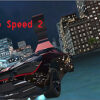
Top Speed 2 is a browser-based car game that lets players choose a vehicle, select a time of day, and drive around a city. Its cars feature realistic-looking models, lighting, and sounds, while the game also highlights stunts as part of the driving experience. Knowing the keyboard controls before you leave the garage can make it easier to explore and experiment.
What to expect in Top Speed 2
Play begins in the garage, where you can take a car out and start exploring the city. Before setting off, choose between Day and Night. The different lighting gives each option a distinct look, so you can select the setting you prefer for your drive.
The game emphasizes detailed car models, lights, and sound. It also presents stunts as a central part of its driving experience. If you are new to the controls, spend a little time getting comfortable with steering and braking before attempting more ambitious maneuvers. This helps you understand how the car responds without rushing into a stunt.
Top Speed 2 controls
Use these keyboard controls while playing:
- W, A, S, D: Drive.
- C: Change the camera view.
- Space: Use the handbrake.
- F: Use nitro.
- R: Record a run.
- P: Play back a recording.
Try the camera key while driving to find a view that feels comfortable. Use the handbrake and nitro deliberately, since combining special controls with steering can make it harder to stay on your intended path. The recording and playback keys can help you review a run and revisit a maneuver.
Tips for exploring the city
- Start with a short drive: Test the movement controls in an open area before exploring further.
- Try both lighting options: Switch between Day and Night to see which setting makes the surroundings easiest for you to follow.
- Practise stunts gradually: Get familiar with steering and the handbrake first, then experiment at a pace that feels manageable.
- Use recordings thoughtfully: Record a drive when you want to revisit a route or check how a maneuver went.
Is Top Speed 2 worth trying?
Top Speed 2 may appeal to players who enjoy driving around a city, testing car controls, and trying stunts in a browser game. Its day-and-night choices, camera switching, nitro, and recording controls offer several ways to approach a session. For a smoother start, learn the basic keys in the garage area and explore at your own pace before attempting more complex driving.


