 admin
admin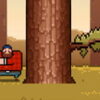
Timberman is a quick, simple chopping game where staying alert matters as much as swinging. Press a key or click the mouse to chop, then tap the appropriate side to move left or right. Keep an eye on the tree’s branches: switching sides at the right moment helps Timberman avoid them while he works. Since time is short, learning the controls before you begin can make each move easier to manage.
How to Play Timberman
The basic task is to chop the tree while keeping Timberman clear of its limbs. Each press or mouse click performs a chop. To change position, tap the left or right side of the screen. The controls are straightforward, but the need to watch for branches means it is useful to make deliberate, timely inputs rather than tapping without looking.
- Chop: Press a key or click the mouse.
- Move left: Tap the left side.
- Move right: Tap the right side.
If you are playing on a touchscreen, make sure your taps land on the intended side. With a mouse or keyboard, use consistent inputs so you can respond quickly when you need to change direction.
Timberman Tips for Avoiding Branches
Branches are the main hazard described in the game instructions. Look at the tree as you chop and be ready to switch sides when a limb threatens Timberman’s position. Avoid focusing only on the chopping action: checking the next visible section of the tree can help you decide whether to keep chopping or move.
- Watch as you act: Keep the tree and Timberman in view instead of tapping repeatedly without checking for branches.
- React with a clear input: When a change of side is needed, tap the corresponding side once and confirm the position before continuing.
- Stay consistent: Use the same control method throughout a round where possible. Familiar inputs can make it easier to respond under time pressure.
- Balance speed with attention: The game encourages quick play, but rushed inputs can make it harder to notice a branch in time.
Make Each Round Easier to Follow
Before starting, take a moment to identify how the controls work on your device. On a touchscreen, left and right taps change Timberman’s side; on a computer, pressing a key or clicking performs the chop. If an input does not produce the action you expect, pause briefly and check that you are using the correct control rather than repeating the same action.
It can also help to focus on one decision at a time: check the branches, choose a side, and then chop. This simple rhythm keeps the controls manageable and makes it easier to react as the tree changes. Because the instructions emphasize that time is limited, avoid unnecessary pauses, but do not let speed distract you from the hazard.
Conclusion
Timberman relies on a small set of controls: press or click to chop, and tap left or right to change sides. The key is to combine those actions with steady attention to the tree’s branches. Learn the controls, watch for limbs, and switch sides promptly to help Timberman keep chopping safely while time is short.


