admin
admin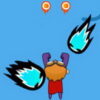
The Planet Commander game is an HTML5 side-scrolling shooting game in which you guide a commander against intruders threatening the planet. The objective is to eliminate as many intruders as possible and help protect your world. Movement is controlled with a mouse or touch gesture, or with the keyboard’s left and right arrow keys. A click or tap starts the game.
How the Planet Commander Game Works
Gameplay centers on moving the commander across the screen and responding to approaching intruders. As a side-scrolling game, the action moves horizontally, so paying attention to what is happening around the commander can help you react in time. The stated goal is to defeat as many intruders as possible; no additional objectives or scoring rules are specified.
Before starting, check which control method feels most comfortable. A mouse or touch gesture lets you move the commander by dragging, while the arrow keys provide direct left-and-right movement. Choose one method and use it consistently so your attention stays on the action.
Controls and How to Begin
- Start: Click the mouse or tap the screen.
- Mouse or touch: Drag the commander to move.
- Keyboard: Use the left and right arrow keys to navigate.
If you are playing on a touchscreen, make sure your finger does not cover too much of the play area while dragging. With a keyboard, use brief, deliberate presses to adjust the commander’s position. These simple habits can make it easier to follow the moving action and respond to intruders.
Practical Tips for Playing
- Look ahead: Watch the visible play area so you can prepare to move toward approaching intruders.
- Stay in control: Avoid unnecessary back-and-forth movement; deliberate positioning can make the action easier to track.
- Try the available controls: If dragging feels imprecise, use the arrow keys when playing on a keyboard, or try touch movement on a compatible device.
- Start with the objective in mind: Focus on eliminating intruders while keeping the commander responsive to the changing action.
The game description does not specify separate firing buttons, difficulty settings, levels, or additional abilities, so avoid assuming that these are available. The listed controls and objective are the essentials to know before playing.
What to Know Before You Play
Planet Commander is built with HTML5, and its instructions describe both keyboard and touch-based movement. The game begins with a mouse click or screen tap, making it straightforward to start. For the clearest experience, use a browser and device that respond reliably to clicks, taps, or arrow-key input.
In short, the Planet Commander game is about guiding the commander, choosing a comfortable movement method, and eliminating as many intruders as possible to safeguard the planet. Start with a click or tap, use the left and right arrow keys or drag to navigate, and stay attentive to the action as it unfolds.