 admin
admin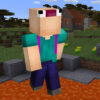
Noob Jigsaw is a Minecraft-themed puzzle game where you choose from nine images and assemble each one from scattered pieces. Four puzzle sizes are available—16, 36, 64, and 100 pieces—so you can pick a challenge that suits your time and experience. The aim is to complete your chosen picture as quickly as you can, using the mouse to move and place pieces.
How to play Noob Jigsaw
Start by selecting one of the nine images. Once you have chosen a picture, select a piece count to set the puzzle’s difficulty. The 16-piece option is a simple starting point, while 100 pieces creates a more demanding task with more elements to organize and match.
Use the mouse to interact with the puzzle pieces. Work carefully as you place them, checking each piece against the image and the neighboring shapes. If a move does not seem to fit, try another position rather than forcing it; a piece’s outline and the details in the picture can help you judge where it belongs.
Choosing the right puzzle difficulty
- 16 pieces: A good option for a quick game or for getting familiar with the puzzle.
- 36 pieces: Adds a moderate challenge while keeping the image easy to scan.
- 64 pieces: Offers more pieces to compare and sort, making careful observation more useful.
- 100 pieces: The largest available puzzle and the most complex of the four choices.
Piece count is a useful guide when deciding how long and challenging a round may feel. If you are new to jigsaw games, begin with fewer pieces and move up when you want a greater challenge. For a more focused session, choose a picture with details you can easily recognize.
Tips for solving the puzzle
Look for edges and corners
In a typical jigsaw puzzle, pieces with straight sides belong along the outside, and corner pieces have two straight sides. Finding these pieces first can help you establish the picture’s border before filling in the center.
Use colors and recognizable details
Compare the colors, shapes, and visible details in each piece with the selected image. Grouping pieces that appear to share a color or pattern can make the remaining options easier to assess. Work on one recognizable area at a time instead of trying random placements across the whole picture.
Take your time with larger puzzles
The 64- and 100-piece modes contain more pieces to check, so a steady approach can be more effective than rushing. Keep the reference image in view when possible and inspect the edges of each piece before placing it. These general jigsaw strategies can help you stay organized while you aim to finish in less time.
Enjoy a quick Minecraft-themed puzzle break
Noob Jigsaw combines a choice of nine images with four puzzle sizes, making it easy to select a round that fits your preferred level of challenge. Choose a smaller puzzle for a short activity or try the 100-piece mode when you want a longer test of observation. With mouse controls and a clear picture to guide you, Noob Jigsaw offers a straightforward way to enjoy a puzzle-solving break.


