admin
admin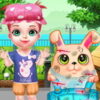
The My Little Bunny Caring game combines pretend pet care with a creative makeover. A young girl’s rabbit has been injured, and your task is to help look after it. Begin by cleaning its injuries with cotton balls, applying ointment, removing sharp items, and adding bandages. After the rabbit has healed in the game, switch roles from caregiver to designer and give the bunny a makeover while decorating its space.
How to Play My Little Bunny Caring
Follow the care activities shown on screen and use the available items to help the rabbit. Take the steps in a sensible order: clean the injured areas, apply ointment, remove sharp objects, and then use bandages. Paying attention to each part of the task makes it easier to see what remains to be done before moving on to the design activities.
- Clean: Use cotton balls on the rabbit’s injuries.
- Apply ointment: Treat the affected areas with the ointment provided in the game.
- Remove sharp items: Clear away any sharp objects shown as part of the care task.
- Add bandages: Place bandages on the injuries to complete this part of the activity.
This is a virtual game activity, not real veterinary guidance. If an actual rabbit is injured, contact a qualified veterinarian rather than relying on a game for care instructions.
Give the Bunny a Makeover
Once the care portion is complete, the game moves to a creative phase. You can style the little rabbit and embellish its space. Try making one design choice at a time so you can focus on the bunny’s appearance and its surroundings separately. The makeover gives the care sequence a playful follow-up without changing the earlier treatment tasks.
For a more organized play session, finish the on-screen care activities before exploring the design options. If you are playing with a child, you can also use the makeover portion as a chance to talk about colors, decoration, and how to create a comfortable-looking space for a pet.
Controls for Phone and PC
On a phone, tap or swipe to interact with the game. On a PC, use the mouse to click or drag. If an item does not move as expected, try a deliberate tap or click and follow the on-screen prompts. The touch and mouse controls let players complete both the care tasks and the later decorating activities on their chosen device.
What to Expect
My Little Bunny Caring brings together a sequence of simple care actions and a finishing makeover. The main objective is to help the rabbit through the game’s treatment steps, then personalize its look and space. Take your time with each action, check the screen for the next task, and switch to decorating after the rabbit has healed in the game.
Conclusion
The My Little Bunny Caring game offers a straightforward mix of pretend animal care and creative design. Clean and treat the rabbit’s injuries, remove sharp items, add bandages, and then move on to the makeover and room decoration. Tap or swipe on a phone, or click and drag with a mouse on a PC, to help the little bunny through each part of the game.