 admin
admin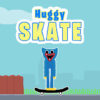
Huggy Skate is a simple skateboarding game in which Huggy, a blue creature, moves forward on a skateboard while barriers appear in his path. Your task is to help him avoid falling by choosing when to jump and when to stop. Learning the controls and watching the route ahead can make each obstacle easier to handle.
How to Play Huggy Skate
Guide Huggy as he rides and respond to barriers before he reaches them. Jump over an obstacle when there is room to clear it, or halt to avoid moving into danger. The main challenge is judging the timing: reacting too early or too late can leave Huggy unable to pass safely.
Keep your attention on the path in front of the skateboard. Looking ahead gives you more time to decide whether a jump or a stop is the better choice. If you are just starting, focus on learning how Huggy responds to each control before trying to move quickly.
Huggy Skate Controls
- A key: Halt.
- W key: Jump.
- Double jump: Huggy can jump twice, giving you another jump to use when needed.
- Mobile: Use the on-screen touch controls.
On a keyboard, use the A and W keys to manage Huggy’s movement. On a mobile device, use the touch controls shown in the game. Check that your chosen input registers before an obstacle arrives, especially when switching between stopping and jumping.
Tips for Avoiding Barriers
- Watch the route: Notice barriers as early as possible so you can choose a response in time.
- Use jumps deliberately: A jump can carry Huggy over a barrier, while the second jump offers an additional chance to adjust your movement.
- Stop when a jump is not suitable: The A key halts Huggy, so use it when stopping is the safer option.
- Avoid rushing: Make each move based on the obstacle ahead rather than pressing controls without a plan.
The double jump is useful, but it does not replace careful timing. Try to save the extra jump for a moment when it can help Huggy clear an obstacle, and use the halt control when you need to stop instead. On mobile, become familiar with the touch controls before focusing on faster reactions.
Getting Started
Begin by practicing the basic sequence: observe a barrier, decide whether to jump or halt, and then use the matching control. If Huggy falls, adjust the timing on your next attempt. With a little practice, Huggy Skate becomes easier to navigate, and you can make more confident choices as barriers appear.


