 admin
admin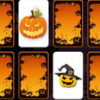
Halloween Memory is an HTML5 puzzle game that challenges you to find matching cards before time runs out. Each card features a design, and the goal is to pair every card with another showing the same design. The game offers a simple way to practise visual memory and concentration, with a Halloween theme adding a seasonal touch.
How to Play Halloween Memory
Look at the cards and select them to check their designs. Your task is to remember what you have seen and find the matching pairs as quickly as possible. Since the available time is limited, try to stay focused rather than choosing cards at random.
- On a computer: Use the mouse to select cards.
- On a mobile device: Tap the screen to play.
The controls are straightforward, so you can start playing without complicated instructions. Before beginning, make sure the game is visible on your screen and that you have a moment to concentrate. On a phone or tablet, tapping the centre of a card can help prevent accidentally selecting a neighbouring one.
Memory Tips for Halloween Memory
A consistent approach can make it easier to remember where designs appear. When you reveal a card, take a brief moment to note its position and visual details. If you see a card that does not have a match yet, remember its location so you can return to it when the corresponding design appears.
- Scan methodically: Move across the play area in a steady order instead of jumping between cards.
- Group information: Mentally connect each design with its position on the screen.
- Stay calm under the timer: A rushed selection can make it harder to recall earlier cards.
- Keep the screen unobstructed: This is especially useful on smaller mobile displays.
These are general memory strategies rather than special game features. The exact challenge comes from the time limit and how well you can recall the designs and their positions.
What to Expect from the Game
Halloween Memory is designed as a quick puzzle: match all cards with identical designs as fast as possible. Because the objective is easy to understand, it can suit a short break or a casual round of brain-training-style play. The HTML5 format is intended for browser-based play, while the listed controls support both mouse input on a computer and touch input on a mobile device.
For a more focused round, reduce distractions and look carefully at each design before selecting the next card. If you are playing on a phone, use a comfortable screen orientation and avoid tapping too quickly. A steady pace can help you make better use of the time available.
Conclusion
Halloween Memory combines a seasonal card-matching puzzle with a limited-time challenge. Use the mouse on a computer or tap the screen on a mobile device, then rely on careful observation to pair the identical designs. With a methodical approach and a little concentration, Halloween Memory offers a straightforward way to test your visual recall.


