 admin
admin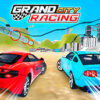
Grand City Racing is a driving game featuring powerful vehicles, car customization options, and competitions with different challenges. It offers three modes—Racing, Challenge, and Free Drive—and each can be played solo or with another player. Knowing the controls before you start can make it easier to choose a mode and manage your car during play.
Grand City Racing game modes
The three modes offer different ways to play. Racing focuses on competing in races, while Challenge provides a set of driving challenges. Free Drive lets you drive without entering those competition formats. The available modes can be played alone or in two-player mode.
- Racing: Choose this mode when you want to take part in a race.
- Challenge: Try this option for a more task-focused driving session.
- Free Drive: Use this mode to drive without a race or challenge as your focus.
If you are new to the game, starting with Free Drive can help you get familiar with movement and the handbrake before moving on to a competition. The exact feel of the controls may depend on your keyboard and how you use the keys.
Solo controls
In solo play, use either WASD or the arrow keys to move. The other listed controls let you use nitrous, look behind the car, adjust its position, and engage the handbrake.
- Move: W, A, S, D or the arrow keys
- Nitrous: F
- Look back: T
- Adjust the car’s position: R
- Handbrake: Space
Before starting a race, take a moment to check which movement keys feel most comfortable. Using the same key group consistently can help you avoid confusing the controls while steering.
Two-player controls
Two players share the keyboard, with Player 1 using WASD and Player 2 using the arrow keys. Their remaining controls are assigned separately, so each player should review their keys before play begins.
Player 1
- Move: W, A, S, D
- Nitrous: F
- Look back: T
- Adjust the car’s position: R
- Handbrake: Space
Player 2
- Move: Arrow keys
- Nitrous: K
- Look back: L
- Adjust the car’s position: O
- Handbrake: Right Shift
For local two-player sessions, make sure both players have enough room to reach their assigned keys. A quick control check before choosing a mode can prevent interruptions once the game starts.
Getting started with Grand City Racing
Grand City Racing combines vehicle options with Racing, Challenge, and Free Drive modes. Start with the mode that suits your preferred pace, learn the relevant controls, and then try the other options. Whether playing alone or sharing a keyboard, knowing the movement, nitrous, look-back, position-adjustment, and handbrake keys makes it easier to focus on driving.


