 admin
admin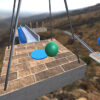
Extreme Ball is a ball-based game built around precise movement, physics-driven challenges, and a choice of ways to play. Players can work through levels, collect coins, and use those coins to purchase balls. With 11 balls and three game modes, Extreme Ball offers different ways to approach its challenges. Learning the controls before starting can make it easier to steer accurately and manage the camera.
Extreme Ball game modes
The game includes three modes: Levels, Maze, and Zigzag. Each provides a distinct format for playing, so switching modes can offer a change of pace when you want a different kind of challenge.
- Levels: Progress through individual stages and focus on reaching the end of each one.
- Maze: Navigate a maze-style layout, steering carefully to choose a route.
- Zigzag: Guide the ball through a zigzag-style course, using controlled movements to stay on track.
For more reliable movement, avoid holding a steering direction longer than needed. Small adjustments can help you keep the ball aligned, especially when approaching turns or narrow paths.
Controls and keyboard shortcuts
Extreme Ball can be played using the keyboard. The available controls are:
- WASD: Maneuver the ball.
- Arrow keys: Steer the ball.
- Q and E: Adjust the camera.
- Space: Leap.
- P: Open the pause menu.
You can use either WASD or the arrow keys to steer, depending on which layout feels more comfortable. Camera adjustment with Q and E can help you get a clearer view of the route. If you need a moment to review the course or take a break, press P to pause.
Collecting coins and choosing a ball
Coins are a collectible in the game and can be used to purchase balls. There are 11 balls available, giving players options to unlock as they play. If you are aiming to collect coins, pay attention to the route as you move through a stage, but prioritize keeping control of the ball over making a risky turn.
Try the different balls as they become available and see which one feels easiest for you to guide. The game’s physics make careful steering useful, so steady inputs can be more effective than sudden corrections.
Getting started with Extreme Ball
Start with a mode that suits your preference, then take a moment to learn how the steering and camera controls work. Use Space to leap when needed, and remember that P opens the pause menu. As you progress, collect coins and use them to purchase balls. With practice and measured movements, Extreme Ball’s modes and physics-based challenges become easier to navigate.


