 admin
admin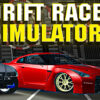
Drift Race Simulator is a free driving game where players earn in-game income by drifting and can use it to acquire additional cars. Its large 3D environment, vehicle physics and detailed car designs provide the core of the experience. Whether you are learning the controls or deciding which vehicle to try, understanding the available cars, customization options and maps can help you get started.
What to expect in Drift Race Simulator
The game focuses on controlling a car through drifts rather than simply driving from one point to another. Successful drifting contributes to earning income, giving players a reason to practice and work toward new vehicles. Take a little time to get used to steering and the handbrake before attempting longer slides; smooth inputs can make it easier to keep the car under control.
- A complimentary game with an expansive 3D environment.
- Vehicle physics designed to give cars distinct handling.
- Detailed car designs and a collection that is continually updated.
- Three maps: one city and two racing circuits.
The city and circuit settings offer different spaces to drive. Try each map to find an area that suits your practice: a clear stretch can help you learn how steering and braking affect a drift, while a circuit lets you work on linking turns.
Available cars
The current vehicle selection includes a range of Nissan, BMW and Toyota models. Available cars are:
- Nissan Silvia S13
- Nissan Laurel R33
- BMW M5 F90
- BMW M3 E46
- BMW M3 E92
- Nissan GT-R R35
- BMW M5 E60
- Nissan Skyline R32 Missle
- Toyota Chaser
- Toyota Supra A90
- Nissan 350Z
- BMW M3 E92 Drift Version
The vehicle collection is continually updated, so the selection may grow over time. Since cars can feel different to drive, experiment with the available models and choose one that feels manageable as you practice.
Car customization
Every car has customization options for rims, spoilers, paint, neon lights and additional wheel configurations. These features let you adjust the look of a vehicle to your preference. If you are still learning to drift, change one option at a time so it is easier to keep track of your setup.
Drift Race Simulator controls
The game uses the mouse for camera control, while driving and other actions use keyboard inputs. The listed controls are:
- Camera control: Mouse
- Change camera view: C
- Driving: W, A, S and D or the arrow keys
- Gear shift: Left Shift and Left Ctrl
- Ignite engine: I
- Handbrake: Space
- Clutch: N
For a more comfortable start, check that the camera angle is useful before accelerating, then test the steering and handbrake in an open area. Use the camera-view key if you want to switch perspectives. To exit the game, use the General menu and select Exit.
Getting started
Begin by choosing a map and getting familiar with the basic driving controls. Practice steering into a turn and using the handbrake, then adjust your approach based on how the car responds. As you earn in-game income through drifting, you can work toward acquiring other vehicles and explore their customization options.
Drift Race Simulator combines drifting, vehicle collection and customization across a city and two racing circuits. Learning the controls first and testing different cars can help you make better use of its maps and build confidence behind the wheel.


