 admin
admin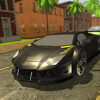
Deal For Speed is a driving game focused on steering through heavy freeway traffic while avoiding collisions with nearby vehicles. The goal is to keep moving through crowded lanes and react to cars around you. With two highways, a selection of automobiles, color customization, and nitro, the game offers a straightforward challenge for players who enjoy traffic-dodging gameplay.
What to expect in Deal For Speed
The main task is to guide your car through a busy road without hitting other vehicles. Traffic can leave little room to maneuver, so watch the space ahead and make deliberate moves rather than changing direction at the last moment. The game emphasizes avoiding cars traveling alongside you, making awareness of neighboring lanes an important part of play.
There are two highways to drive on, providing a choice of road settings. The available cars add variety, while automobile color personalization lets you change the appearance of your vehicle. Nitro is also included as a gameplay feature. Its precise behavior is not specified here, so check how it works during play before relying on it in a tight situation.
Listed features
- Various automobiles
- Two highways
- Gameplay designed for an enjoyable driving experience
- Automobile color personalization
- Nitro
Deal For Speed controls
The controls are simple and use the keyboard:
- Left Arrow: Shift left
- Right Arrow: Shift right
- C: Change the viewpoint
- Esc: Halt or pause the game
Before trying to weave through traffic, get comfortable with the left and right controls in a less demanding moment. The C key changes the viewpoint, which may help you find a camera angle that makes it easier to judge the road. Use Esc when you need to stop or pause.
Practical tips for avoiding traffic
- Look ahead: Scan the road in front of your vehicle so you have time to respond to approaching cars.
- Check nearby lanes: Since vehicles can travel beside you, avoid shifting into a space without checking it first.
- Make controlled moves: Use the arrow keys with care. Quick, unnecessary lane changes can make it harder to stay clear of traffic.
- Test the viewpoint: Try the C key early and keep the view that helps you see surrounding cars most clearly.
- Learn the nitro feature: Find out how nitro behaves before using it when traffic is especially crowded.
Conclusion
Deal For Speed combines busy freeway driving with simple directional controls and a focus on avoiding collisions. Its two highways, selection of cars, color customization, and nitro feature add variety to the experience. For a better run, stay alert to vehicles ahead and alongside you, use the viewpoint that gives you the clearest view, and make careful lane changes.


