admin
admin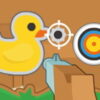
Carnival Shooter is a simple shooting-gallery game where you focus on a target and try to hit an adorable little duck. Use a mouse or touch the screen to take part, making it easy to play on a compatible computer, phone, or tablet. A steady aim and deliberate input can make each shot feel more controlled.
How to Play Carnival Shooter
Choose your input method and direct your aim toward the duck. On a touchscreen, tap where you want to shoot. With a mouse, position the pointer over the target and use the game’s shooting control. The basic goal is to pay attention to the target and make each shot count.
- Touchscreen: Tap the screen to participate and aim at the duck.
- Mouse: Move the pointer toward the target and use the mouse to shoot.
Controls can feel different depending on your device and the game’s response. If your first shot misses, take a moment to adjust your aim rather than making repeated, rushed inputs.
Tips for Better Aim in Carnival Shooter
A shooting-gallery game rewards attention and coordination. Keep the target in view, then place your pointer or finger carefully before shooting. On a touchscreen, avoid covering the duck with your hand for longer than necessary. With a mouse, small pointer movements can help you line up a shot more precisely.
- Look before you shoot: Identify the duck’s position and aim directly at it.
- Use controlled movements: Make small adjustments if your aim is slightly off.
- Find a comfortable setup: Hold your device securely or use a mouse position that feels easy to control.
- Take your time: A deliberate shot can be more effective than tapping or clicking without aiming.
A Casual Shooting-Gallery Challenge
The appeal of Carnival Shooter is its straightforward premise: focus on the target and enjoy trying to improve your aim. Its simple mouse and touchscreen controls make the game approachable for a quick play session, whether you are familiar with shooting-gallery games or just want a light arcade-style activity.
For a more comfortable experience, play on a device where you can see the target clearly and use controls that feel responsive. If the game does not react as expected, check that your screen is registering taps or that your mouse is working properly.
Conclusion
Carnival Shooter offers a simple way to practise careful aiming in a playful shooting-gallery setting. Focus on the duck, use the mouse or touchscreen controls, and make steady adjustments as needed. A calm, precise approach can make Carnival Shooter more enjoyable from the first shot onward.