admin
admin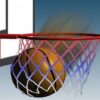
Basketball School is a basketball shooting game with three modes: Arcade, Time Attack, and a distance-based challenge for precision shooters. Each mode has different limits, so understanding how misses, successful shots, and bonuses affect a round can help you choose the right approach. The mouse is used to launch the ball.
Basketball School Game Modes
The three modes change how you manage attempts and pressure. Arcade focuses on a limited supply of balls, Time Attack puts the countdown in control, and the distance challenge rewards accurate shooting as you move farther from the basket.
Arcade Mode
Arcade Mode starts with 10 balls. A missed shot costs one ball, while a successful basket does not reduce the remaining supply. You begin with 30 aiming points, and this amount decreases as your score increases.
Because attempts are limited, take a moment to line up each shot rather than rushing. Keep track of your remaining balls and remember that a made basket preserves your supply. The shrinking number of aiming points also means that later shots may require more care.
Time Attack
In Time Attack, the clock replaces the ball limit. You can keep shooting while time remains, and each successful basket adds extra time. The round ends when the countdown reaches zero.
Use the opening moments to find a steady rhythm. Since successful shots extend the timer, accuracy can give you more opportunities to continue. A rushed attempt that misses does not provide the same time benefit, so balance speed with control.
Distance Challenge
The distance mode is designed for players who want to test their shooting precision. The first ball appears 1 meter from the basket. After a successful shot, you move to a greater distance; the size of each distance increase depends on successful shots and their bonuses. If you miss, the distance decreases by 1 meter. The game ends if the distance reaches 0 meters.
Pay attention to how far the next shot is before launching. A made basket advances the challenge, while a miss brings the shooting position closer. Since the distance step can depend on bonuses, progress may vary during a round.
Bonuses and Controls
Bonuses can include a wider basket, extended aiming, and combined scores. These effects can make particular shots more forgiving or influence scoring, so use them when available and consider how they fit the current mode.
- Control: Use the mouse to launch the ball.
- Arcade tip: Protect your limited supply by aiming carefully.
- Time Attack tip: Successful baskets add time, making accuracy valuable.
- Distance tip: Track each change in shooting distance and adjust your aim.
Conclusion
Basketball School offers three distinct ways to practise virtual shooting: conserving balls in Arcade Mode, managing the clock in Time Attack, and adapting to changing range in the distance challenge. Choose a mode that suits your play style, use the mouse to take each shot, and keep the rules for misses and bonuses in mind as you play.