 admin
admin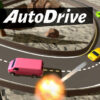
Auto Drive is a combat racing game where drivers can use weapons against their rivals while competing on the track. Win races to earn money, then spend it on performance upgrades and additional weapons. You can choose informal races or enter the championship, and every game mode supports local split-screen play for two players.
How to play Auto Drive
Racing is about more than reaching the finish line: you can also fire weapons during a competition. Winning events provides money for improving your car, so both race results and combat can shape your progress. Performance upgrades can help develop your vehicle, while adding different weapons gives you more options during races.
When deciding what to buy, consider whether you want to focus on improving performance or expanding your weapon choices. The game description does not specify individual upgrade effects or weapon types, so check the options shown in the game before spending your earnings.
Choose a race mode
Informal races
Informal races offer a way to compete outside the championship. They can also help you get familiar with steering, braking, and weapon buttons before taking on championship events. Try each control at a comfortable pace so you can react without losing track of your direction.
Championship
The championship is the competitive option for players who want to take part in a series of races. Because race wins earn money, finishing strongly can support your plans for future upgrades. Balance driving and weapon use rather than relying on only one part of the game.
Auto Drive controls
Each player has separate movement and weapon controls. Player 1 uses the arrow keys to drive, while Player 2 uses WASD. The weapon keys are grouped separately for each player:
- Player 1: Up arrow to accelerate; down arrow to brake or reverse; left and right arrows to steer; J, K, and L for weapons 1, 2, and 3.
- Player 2: W to accelerate; S to brake or reverse; A and D to steer; X, C, and V for weapons 1, 2, and 3.
Controls can be changed in the settings. If you are playing with someone else, agree on comfortable key assignments before starting; this can make it easier to steer and use weapons without confusing the two control sets.
Local split-screen for two players
Local split-screen is available in all game modes, so two players can race together whether they choose informal competition or the championship. Before the race, confirm that each player knows their movement and weapon keys. A brief practice run can help both drivers become familiar with the controls.
Conclusion
Auto Drive combines racing, weapon use, and money-funded upgrades, with informal races and championship competition to choose from. Its local split-screen support is available across every mode. Learn your controls, check upgrade details before spending, and use race results to decide how to develop your car.


