admin
admin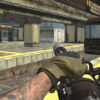
Call of Ops 3 is a fast-paced deathmatch game where players compete across different arenas to earn the highest number of eliminations. Its striking visuals and selection of firearms give each match an action-focused feel. Learning the controls before entering a match can help you move, aim, reload, and switch weapons without losing focus.
How Call of Ops 3 works
The main goal is straightforward: eliminate more opponents than the other players in the deathmatch. Matches take place in a variety of arenas, so it is useful to pay attention to your surroundings as you move. Keep your aim ready, watch for opponents, and avoid staying in one exposed position for too long.
There is no need to rush into every encounter. Moving carefully can give you more time to spot other players and line up a shot. If an approach is not working, change your position or choose another route through the arena.
Call of Ops 3 controls
Use the following keyboard and mouse inputs to play:
- W, A, S, D: Move around the arena.
- Mouse: Aim and fire.
- Space: Jump.
- R: Reload.
- P: Pause the game.
- 1, 2, 3: Select a weapon.
Before a match gets busy, take a moment to get comfortable with movement and aiming. Remembering the reload key can also help you avoid trying to fire when your weapon needs reloading. The number keys provide a quick way to switch between the available weapon choices.
Practical deathmatch tips
- Keep moving: Use the movement keys to stay mobile and make yourself a harder target.
- Aim deliberately: Move the mouse to line up your shot rather than firing without looking at your target.
- Use jumps thoughtfully: Space lets you leap, which can help vary your movement. Avoid jumping without considering where you will land.
- Reload when you have a safe moment: Press R when you are not in the middle of an immediate encounter, if the situation allows.
- Try the weapon options: Use 1, 2, and 3 to select a weapon and learn which available choice feels most comfortable for your approach.
- Pause when needed: Press P to pause if you need to take a break or check your controls.
Getting started
New players can begin by practicing movement, aiming, jumping, and reloading before focusing on their elimination count. Once the controls feel familiar, pay closer attention to the arena and adjust your movement as encounters develop. A steady approach can make it easier to stay aware and respond to opponents.
In short, Call of Ops 3 centers on arena-based deathmatch action, accessible keyboard controls, and the challenge of finishing with the most eliminations. Learn the controls, stay alert, and use movement and weapon selection to support your play style.