 admin
admin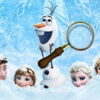
Frozen Differences is a free HTML5 spot-the-difference game featuring images inspired by Frozen. Compare two copies of an image and find the details that do not match before time runs out. Each completed task lets you move on to the next level, so careful observation and a steady pace can help you make progress.
How to Play Frozen Differences
Look closely at both images and identify the visible differences between them. When you spot one, tap it on a touchscreen or click it with a mouse. The goal is to complete the level within the available time so you can access the next one.
Before selecting a detail, compare its position in both pictures. This can help you avoid mistaking a similar-looking feature for a difference, especially when the images contain several characters or decorative elements.
Tips for Finding Differences
- Compare one area at a time. Start at the top of the images and work across in a consistent direction. A systematic scan makes it easier to notice small changes.
- Check shapes and colors. Look for details that appear different in outline, color, or placement rather than trying to take in the entire picture at once.
- Keep both images in view. Shifting your attention between matching areas can make changes easier to spot.
- Manage the timer. Since each task is timed, avoid spending too long on a single area. Move on to another part of the picture and return to anything you are unsure about.
- Tap or click carefully. Select the detail you believe is different, rather than clicking quickly across the image without checking the matching location.
A Timed Game for a Quick Challenge
The simple objective makes Frozen Differences easy to understand: compare the pictures, find the disparities, and complete each level before the time limit ends. The challenge comes from noticing details while working against the clock. If you are playing on a phone or tablet, use taps; on a computer, use the mouse to select differences.
For a more relaxed start, take a moment to scan the whole image before you begin making selections. As you become familiar with the comparison task, use a quicker left-to-right or top-to-bottom routine to check more of the picture within the time available.
Enjoy Frozen Differences
Frozen Differences offers a straightforward way to test visual attention through a series of timed picture comparisons. Find the hidden disparities, complete each task to reach the next level, and see how many levels you can finish. A patient, organized scan is a practical way to make the most of every round.


