admin
admin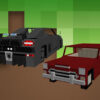
Minecraft Cars Jigsaw is a free online puzzle game for players who enjoy assembling images one piece at a time. Choose from 12 different pictures, then select a difficulty level to match your available time and puzzle-solving experience. With options ranging from 25 to 100 pieces, the game offers a straightforward way to enjoy a quick break or take on a more demanding visual challenge.
How to Play Minecraft Cars Jigsaw
Start by selecting one of the 12 available images. Once you have chosen a picture, pick a mode: easy, medium, or hard. The selected mode determines how many pieces you need to arrange to complete the puzzle.
- Easy: 25 pieces, a good starting point for a shorter or more relaxed game.
- Medium: 49 pieces, offering more pieces to sort and fit together.
- Hard: 100 pieces, the most challenging option of the three.
Use your mouse to interact with the puzzle. Take a moment to look over the image and identify distinctive colors, shapes, and details before arranging pieces. If you are new to jigsaw games, starting with the 25-piece mode can help you get comfortable with the picture and controls before trying a larger puzzle.
Tips for Solving the Puzzle
A simple strategy can make a jigsaw puzzle easier to manage. First, look for pieces with straight edges, which are usually part of the outside border. Next, group pieces by color or by recognizable details in the chosen image. Working on one small section at a time can make the 49-piece and 100-piece modes feel less overwhelming.
It can also help to compare each piece with the image as a whole rather than focusing only on its shape. Pay attention to neighboring colors and patterns, and move on if a piece does not seem to fit. In the harder mode, taking a short pause and returning with fresh eyes may make visual details easier to notice.
Choosing a Difficulty Level
The best mode depends on how much of a challenge you want. The easy setting is suited to a brief session, while medium provides a larger puzzle without jumping straight to the maximum piece count. Choose hard when you are ready to spend more time examining the picture and testing possible matches. You can also try different images at the same difficulty to keep each round varied.
Enjoy Minecraft Cars Jigsaw at Your Own Pace
Minecraft Cars Jigsaw keeps its format simple: select an image, choose one of three piece counts, and use the mouse to work through the puzzle. Whether you prefer the quick 25-piece mode or the more demanding 100-piece challenge, a clear strategy and careful observation can help you make steady progress. Pick a picture and difficulty that suit your mood, then enjoy completing the puzzle at your own pace.