 admin
admin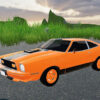
Shine Metal is a driving game that lets players take control of a range of vehicles and explore an open roadway. With more than 10 automobiles, several vehicle categories, and a free-drive mode featuring a route exceeding 100 km, it offers different ways to practise steering and experience the game’s driving dynamics. This guide explains the main features and keyboard controls so you can get started with confidence.
Shine Metal features and vehicle options
The vehicle selection includes sports cars, SUVs, muscle cars, trucks, and buses, along with other vehicle types. This variety gives players the option to switch between different kinds of vehicles rather than staying with a single car throughout the game. Use the vehicle selection control to browse the available options.
- More than 10 automobiles: Choose from a selection of vehicle types.
- Free-drive mode: Explore a roadway extending beyond 100 km at your own pace.
- Driving dynamics: The game features physics-based handling intended to create a more authentic driving feel.
- Driving examination simulator: A mode is described as a real-world driving examination simulator.
For a more controlled start, select a vehicle and get familiar with its steering and braking before trying to drive quickly. The game’s physics can affect how a vehicle responds, so gradual turns and measured braking can make it easier to stay in control.
Shine Metal keyboard controls
The following keyboard inputs control movement, vehicle functions, and the camera. Arrow keys can be used as alternatives to the listed WASD keys for driving.
- W or Up Arrow: Move forward
- S or Down Arrow: Move backward
- D or Right Arrow: Turn right
- A or Left Arrow: Turn left
- Space: Use the handbrake
- C: Change perspective
- F: Activate Boost / NOS
- G: Activate slow motion
- Tab: Open vehicle selection
Tips for using the controls
Try the steering and handbrake at a moderate speed before using Boost / NOS. Changing perspective with C can help you find a camera view that suits your driving, while slow motion may help when you want to observe how the vehicle responds. If a control does not behave as expected, check the game’s control settings, as keyboard layouts or input options may vary.
The examination-simulator feature is part of the game; it should not be treated as a substitute for official driver training or licensing requirements. Use the free-drive mode to learn the game’s controls and explore its long roadway, rather than assuming that in-game handling reflects every real-world driving situation.
Getting started with Shine Metal
Begin by selecting a vehicle with Tab, then practise basic movement and turns before trying the handbrake or Boost / NOS. Once the controls feel familiar, free-drive mode provides space to explore the route and test the available vehicle types. Shine Metal combines a broad vehicle selection, keyboard-based controls, and a long free-drive roadway for players looking for a straightforward driving-game experience.


