 admin
admin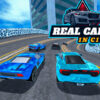
Real Cars in City is a 3D driving simulation built around sports cars, varied driving areas, and several ways to play. Its realistic vehicle physics and high-quality graphics support both structured racing and relaxed free driving. Players can choose from 20 sports cars, take on 36 race tracks, explore a free-roam zone, or try the dedicated police pursuit and crash areas.
What to expect in Real Cars in City
The game combines racing with open-ended driving. If you prefer a clear objective, compete against the artificial intelligence on the race tracks. For a less structured session, use the free-roam zone to drive at your own pace. The police pursuit area and crash area provide additional settings for players looking for a different kind of driving challenge.
Because the game features realistic driving physics, vehicle handling may feel different from one car to another. Take a moment to learn how a selected car responds before pushing for speed. This can make it easier to manage turns and maintain control, particularly when moving between different areas.
Cars, tracks, and vehicle upgrades
There are 20 sports cars to choose from and 36 race tracks to explore. The in-game system also lets players buy and upgrade vehicles. Upgrades can help tailor a car to your preferences, while trying different vehicles gives you a chance to compare their handling.
- Cars: Choose from 20 sports cars.
- Racing: Compete on 36 tracks against AI opponents.
- Free driving: Explore the dedicated free-roam zone without a race objective.
- Special areas: Visit the police pursuit area or the crash area.
- Progression: Use the vehicle purchase and upgrade system to expand or improve your selection.
A practical approach is to try a few cars before focusing on upgrades. When racing, learning a track and keeping the car under control can be just as useful as choosing a vehicle. In free drive, you can take your time getting familiar with the controls and handling.
Real Cars in City controls
The listed keyboard controls are straightforward. Use the arrow keys or WASD to move, press N for nitro, and press C to change the camera view.
- Move: Arrow keys or WASD
- Nitro: N
- Camera view: C
If you are new to the game, begin by using the movement keys in a low-pressure area and test the camera options with C. Save nitro for moments when you want an extra burst of speed, and make sure you can steer comfortably before using it during a race.
Is Real Cars in City a good fit?
Real Cars in City offers several ways to enjoy its driving environments, whether you want to race AI opponents, explore freely, or try the pursuit and crash areas. Its combination of 20 sports cars, 36 tracks, vehicle upgrades, and multiple driving zones gives players a range of activities to explore. Start with the mode that suits your play style, learn the controls, and then try other areas as you become more comfortable with the cars.


