 admin
admin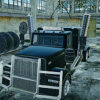
Heavy Truck Driver is a driving game about handling a powerful American truck across a range of challenges. Players can build their skills, earn money by completing levels, and use those earnings to buy and install truck components. With 150 challenges, six trailer options, and several ways to test your driving, the game offers plenty to explore. This guide covers its main features, modes, and controls, along with practical tips for getting started.
What to Expect in Heavy Truck Driver
The game focuses on truck handling and vehicle customization. Its driving system is designed to provide realistic truck dynamics, so careful steering and braking are useful when navigating challenges. Players can also adjust their truck through a tuning system, purchasing and fitting components with money earned from completed levels.
Six distinct trailers are available. The selection ranges from a standard trailer to an ultra-heavy three-axle trailer built to carry very large loads. When choosing a trailer, consider the type of challenge you want to attempt and allow yourself time to get used to handling the truck with that setup.
Heavy Truck Driver Modes and Challenges
Heavy Truck Driver features five game modes and 150 challenges. The named modes include Parking, Checkpoints, Truck Racing, and Truck Drifting. Each offers a different driving focus, from precise maneuvering to competitive or controlled driving. The available information does not identify the fifth mode by name.
If you are new to the game, starting with Parking or Checkpoints can be a useful way to practice steering and positioning before trying racing or drifting. Take time to learn the controls in a less demanding challenge, and avoid making abrupt inputs when maneuvering a large vehicle.
Truck Customization and Progress
Completing levels earns money that can be spent on truck components. This gives you a way to develop your vehicle as you progress through the challenges. Check the available parts before spending, and choose upgrades that suit the driving tasks you plan to tackle rather than buying components without a clear purpose.
Customization is optional, but it is a central part of progression. If a particular challenge proves difficult, try another level to build up earnings, then revisit the truck’s tuning options. Changing one component at a time can also make it easier to understand how your setup affects your driving.
Heavy Truck Driver Controls
- WASD: Navigate the truck.
- Space bar: Apply the emergency brake.
- P: Pause the game.
- Left mouse button: Manually change the perspective.
- C: Switch the camera angle.
Use the camera controls to find a view that helps you judge turns and clearances. The emergency brake is available when needed, but steady steering and controlled braking are sensible habits for completing precision challenges.
Getting Started
Heavy Truck Driver combines truck handling, progression, and vehicle tuning across 150 challenges. Begin with a mode that lets you practice at a comfortable pace, learn the keyboard controls, and explore the trailer options as you advance. Completing levels provides money for upgrades, while the different named modes give you varied ways to test your driving skills.


