 admin
admin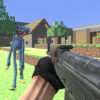
Poppy Strike 2 is a wave-based action game set in a landscape inspired by Minecraft. The goal is to fight off approaching Huggy Wuggy dolls, survive each wave, and make progress toward unlocking access to new firearms. Knowing how movement, shooting, reloading, jumping, and weapon selection work can help you respond more effectively as enemies approach.
What to expect in Poppy Strike 2
The game combines an open, block-style environment with repeated encounters against hostile dolls. Rather than simply moving through a setting, players need to keep track of incoming enemies and stay alive through successive waves. Progress is tied to survival: enduring waves helps you work toward victory and access to additional firearms.
Because threats approach from the game environment, staying aware of your surroundings is useful. Keep moving when needed, but avoid losing control of your aim while repositioning. A clear view of nearby enemies gives you more time to react.
Poppy Strike 2 controls
The listed keyboard and mouse controls are straightforward. Learning them before a wave becomes intense can make it easier to move and respond without hesitation.
- WASD: Move around the environment.
- Mouse: Aim and fire.
- Space: Jump.
- R: Reload your weapon.
- 1, 2, 3, 4: Select a weapon.
Practical tip: Make sure you know which keys change weapons and reload before enemies close in. Reloading at a safer moment can reduce the chance of being caught unable to fire.
Simple strategies for surviving waves
Keep moving and watch your position
Standing still can make it harder to respond when enemies approach. Move around the environment to create space and keep your view oriented toward incoming threats. Use jumps when they help you adjust your position, but continue tracking the dolls rather than jumping without a clear purpose.
Choose weapons deliberately
Poppy Strike 2 lets you select weapons with the number keys from 1 to 4. Since the available firearms can change as you progress, take a moment to check your selection and switch when appropriate. Avoid changing weapons at the last second if it distracts you from nearby enemies.
Reload before you are under pressure
The R key reloads your weapon. When the immediate area gives you a safer opportunity, reload so you are better prepared for the next encounter. Keep an eye on the action while doing so, since enemies may continue approaching.
Getting started
Begin by testing movement and aiming, then practice switching weapons and reloading. Once the controls feel familiar, focus on staying aware, maintaining room to move, and handling each wave carefully. These basic habits can make the game easier to manage without relying on a single tactic.
Conclusion
Poppy Strike 2 centers on surviving waves of Huggy Wuggy dolls in a Minecraft-inspired landscape while using firearms and simple keyboard-and-mouse controls. Learn the controls, keep track of approaching enemies, and reload when there is a suitable opening. Careful movement and deliberate weapon selection can help you stay prepared as you work through each wave.


