 admin
admin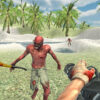
Zombie Getaway 2 is a zombie survival shooter set on a tropical island overrun by the undead. You play as a special forces operative who must fend off advancing zombies and unlock firearms to improve your chances of survival. Knowing the controls before the action begins can help you move, aim, reload, and switch weapons more efficiently.
What to expect in Zombie Getaway 2
The central goal is to eliminate the zombies moving toward you. The island setting provides the backdrop for the encounter, while the survival-shooter format puts the focus on responding to threats and making effective use of your available weapons. As you progress, additional firearms can be unlocked, giving you more options for dealing with the undead.
Pay attention to enemies as they advance and avoid spending too long in one place when movement could help you respond. Keep your weapon ready, and reload when you have a safe moment rather than waiting until you need to fire. These basic habits are useful in action games where threats continue to approach.
Zombie Getaway 2 controls
The controls combine keyboard movement with mouse aiming and firing. The listed keys are:
- WASD: Move around.
- Mouse: Aim and fire.
- Space: Jump.
- R: Reload.
- T: Activate slow motion.
- 1, 2, 3, 4: Select a weapon.
If you are new to the game, take a moment to learn how movement and aiming work together. Use the number keys to select a weapon, and remember that reloading requires a separate key. The jump and slow-motion controls are also available when you need to adjust your response to the action. Exact timing and weapon availability may depend on your progress in the game.
Practical tips for surviving
- Keep moving: Use WASD to reposition as zombies approach instead of focusing only on firing.
- Aim deliberately: The mouse handles firing, so controlled movements can help you direct your shots toward threats.
- Reload between encounters: Press R when you have an opportunity to prepare for the next attack.
- Choose weapons intentionally: Use keys 1–4 to switch among available weapons. Unlocking more firearms can expand your choices.
- Try the special controls: Jumping and slow motion add options to your movement and combat. Learn when they are useful as you play.
Conclusion
Zombie Getaway 2 is built around a straightforward survival objective: use movement, aiming, and firearms to stop the advancing undead on a tropical island. Learning the controls and managing weapon selection and reloads can make each encounter easier to handle. For new players, a good starting point is to practise moving and aiming together, then use the available weapons and special controls as the situation demands.


