 admin
admin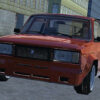
Russian Taz Driving 2 is a driving game focused on taking distinctive Russian vehicles across broad urban roads. Its visual setting includes lively streets and swaying gopnik characters, while the controls let players steer, stop, and change the camera view. A little familiarity with those controls can make it easier to explore the city and handle turns without constantly losing track of the road.
What to expect in Russian Taz Driving 2
The game highlights a selection of different Russian vehicles, giving players a range of cars to maneuver and slide through an expansive city environment. The busy streets provide the main setting for driving, with pedestrians and other visual details contributing to the atmosphere. The emphasis is on vehicle handling and moving around the urban roads rather than on a story or set of objectives described in the available game information.
Because several vehicles are available, it can be useful to spend a moment getting used to how a chosen car responds before making sharper turns. If a vehicle begins to slide, make smaller steering adjustments and allow yourself room to correct course. This cautious approach is especially helpful on unfamiliar stretches of road.
Russian Taz Driving 2 controls
The listed keyboard controls are straightforward:
- WASD: Steer the vehicle.
- Space: Stop.
- C: Switch the viewpoint.
Try the controls in an open area first, if one is available in the game. Test the viewpoint key while the vehicle is stationary so you can see which camera angle is easiest to use. During a drive, look ahead and steer gradually; quick, repeated inputs can make it harder to keep the vehicle on your intended path.
Practical driving tips
- Use small steering movements when approaching a bend, then adjust as needed.
- Press Space when you need to bring the vehicle to a stop.
- Change the viewpoint with C if the current angle makes it difficult to judge the road.
- Take time to explore the surroundings and get comfortable with the selected vehicle before attempting to slide through tighter spaces.
Enjoying the city driving experience
The broad roads and animated street scene are central parts of the game’s appeal. Exploring at a measured pace can help you notice the environment while learning how each vehicle handles. The swaying gopnik characters add visual activity to the streets, so keep your attention on steering and use the stop control whenever you need to pause.
Overall, Russian Taz Driving 2 offers a simple keyboard-based way to drive a variety of Russian vehicles through an expansive urban setting. Learn the WASD, Space, and C controls, make gradual steering corrections, and switch camera views when another angle gives you a clearer view of the road.


