 admin
admin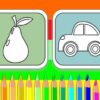
A coloring book game gives children a simple way to explore colors and create pictures on screen. This activity features 16 different images, including characters and vehicles, so kids can choose a design that interests them. With 24 colors, nine pencil sizes, and an eraser, they can experiment with different looks and adjust their work as they go.
What’s included in this coloring book game?
The game offers a selection of 16 pictures to color. Children can pick an image and fill it in using the available drawing tools. The range of subjects, including characters and vehicles, gives them different options to choose from rather than limiting them to a single design.
- 16 images: Choose from pictures featuring characters, vehicles, and other subjects.
- 24 colors: Select from a varied palette while coloring.
- Nine pencil sizes: Adjust the pencil size for different parts of a picture.
- An eraser: Remove color and correct mistakes while working.
For a more controlled result, children can use a smaller pencil size for narrow spaces and a larger one for broader areas. The eraser is useful for tidying edges or revising a color choice without having to start over.
How to use the coloring tools
Start by selecting one of the available pictures, then choose a color and pencil size. Coloring larger areas first can make it easier to plan the overall look; smaller details can be added afterward. There is no single right way to complete a picture, so children can try different color combinations and make changes as they work.
If a mark goes beyond the intended area or a color does not look right, use the eraser to remove it. Changing pencil size can also help when switching between filling in open spaces and coloring finer details. Taking a moment to review the picture before finishing can help identify any spots that need an extra touch.
Saving and sharing finished artwork
When the picture is complete, the print button can be used to preserve the colored image and share it with friends. The exact options available may depend on the device or browser. If printing is not needed, check the on-screen prompts to see what choices the game provides for keeping the finished work.
Using a mouse, children can select colors and work on the picture. A steady pace can make small areas easier to color, while the available pencil sizes offer flexibility for different parts of the image.
Make creative screen time more enjoyable
This coloring book game combines a choice of pictures with practical tools for making edits. Children can select a favorite subject, try colors from the palette, and use the eraser whenever they want to revise their work. The 16 images, 24 colors, and nine pencil sizes provide several ways to approach each picture, making the activity suitable for relaxed, creative play.


