 admin
admin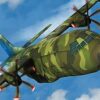
C-130 flight simulator training puts players in the cockpit of a well-known military transport aircraft and challenges them to complete missions using their piloting skills. The game presents the aircraft as a large, powerful plane, with a cockpit-focused experience intended to make flying feel immersive. Before starting a mission, take a moment to learn the controls and understand how each key affects the aircraft in the game.
What to expect from C-130 flight simulator training
This simulator combines aircraft handling with mission-based gameplay. Players take control of a C-130 and set out on challenging assignments where managing the plane is central to progressing. The experience is designed around flying the aircraft rather than simply observing it, so control inputs and timing matter.
Keep in mind that a flight simulator game is entertainment and should not be treated as professional flight instruction. For a smoother start, practise the basic controls in a low-pressure part of the game, if available, before attempting a mission that requires more precise handling.
Game controls
The listed keyboard controls are:
- WASD = Move
- QE = Yaw
- F = Air brake
- G = Landing gear
- Space = Increase thrust
Check the game’s control screen or settings before takeoff, especially if you are using a different keyboard layout. Applying one input at a time can make it easier to see how the aircraft responds and avoid confusing movement controls with yaw.
Practical tips for getting started
- Learn the keys first: Remember which controls affect movement, yaw, thrust, air braking, and landing gear so you can respond without searching for keys mid-mission.
- Make measured adjustments: Use controlled inputs rather than pressing several keys at once. This makes the aircraft’s response easier to follow.
- Manage thrust deliberately: Space increases thrust, so use it with attention to the aircraft’s current movement and the demands of the mission.
- Keep track of landing gear: The G key operates the landing gear. Check its status when the mission involves takeoff or landing.
- Use the air brake thoughtfully: F activates the air brake. Learn how the game responds to it before relying on it during a demanding section.
Enjoy the missions at your own pace
The appeal of C-130 flight simulator training is the chance to take control of a substantial military transport aircraft and put your in-game piloting skills to work across missions. Learning the keyboard layout, practising gradual inputs, and checking the aircraft’s controls can make the experience easier to follow. Treat the game as a simulation for entertainment, and use its listed controls as your guide while you play.


