 admin
admin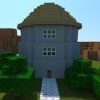
BlockCraft 3D is a web-based mining and building game centered on exploring an open-ended map and creating structures with blocks. Its simple keyboard and mouse controls let players move around, jump, place blocks, break blocks, and manage their inventory. Knowing what each control does makes it easier to get started and build more deliberately.
What to Expect in BlockCraft 3D
The game combines mining with free-form construction. Players can move through the map, gather or break blocks, and use blocks to shape their surroundings. The available play area is described as endless, with access to an unlimited supply of blocks, so building ideas can be developed without a fixed blueprint.
There is no single required building approach in the provided controls. A useful way to begin is to choose a simple project, such as a small shelter or a basic outline, and expand it as you become comfortable with movement and block placement. Starting with a clear shape can also make it easier to spot gaps or uneven sections.
BlockCraft 3D Controls
- E: Open the inventory.
- Right mouse button: Build or place a block.
- Left mouse button: Break a block.
- W, A, S, D: Move around.
- Space: Jump.
Before starting a larger structure, try each control in an open area. This helps you understand how movement and jumping feel, while testing the mouse buttons can prevent accidental block placement or removal. Open the inventory with E when you need to review the blocks available to use.
Practical Building Tips
Plan the outline first
Marking the footprint of a structure before filling in its walls can help keep its dimensions consistent. Build a small section first and check its shape from different positions. If a block is in the wrong place, use the left mouse button to break it and then place another with the right mouse button.
Move carefully around your build
Use the WASD keys to position yourself and Space to jump when you need to change height. Small movements are useful when working along edges, where a misplaced block may affect the appearance of the whole structure.
Keep the controls in mind
The left and right mouse buttons have different purposes: one breaks blocks and the other builds. Remembering this distinction is especially helpful while refining a design. If you are unsure which blocks are available, reopen the inventory rather than guessing.
Conclusion
BlockCraft 3D offers a straightforward way to combine exploration, mining, and block-based construction in a web game. Learn the inventory, movement, jump, build, and break controls first, then use a simple plan to shape your first project. With the controls understood, it is easier to explore the map and develop larger building ideas at your own pace.


