 admin
admin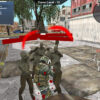
Commander Secret Missions is an action game where you progress through stages, fight undead creatures and soldiers, and collect coins for your trooper. Coins can be used to purchase healing kits, which help you recover during the game. Understanding the keyboard controls before you begin makes it easier to move, manage weapons, and respond when enemies appear.
How Commander Secret Missions works
Your main objectives are to complete each stage and defeat the enemies standing in your way. As you play, collect coins and use them to support your trooper. Healing kits are especially useful when you need to recover, so pay attention to your health and use a kit when appropriate.
Different actions are assigned to individual keys, including movement, weapon selection, reloading, and grenade use. Taking a moment to learn these controls can help you avoid delays during combat. If a key does not seem to work as expected, check that the game window is active and try again.
Commander Secret Missions controls
- WASD: Move your character.
- E: Use a healing kit.
- Tab: Choose a weapon.
- C: Crouch.
- Esc: Pause the game.
- R: Reload your firearm.
- Space: Jump.
- G: Deploy a grenade.
- K: Discard your weapon.
- Left Shift: Sprint.
Practical tips for each stage
Use WASD to stay mobile and make deliberate movements while dealing with undead creatures and soldiers. Since sprinting and crouching are available, choose between Left Shift and C according to the situation rather than relying on one movement option throughout a stage. Space lets you jump when you need to change your position.
Keep track of your weapon and ammunition. Use Tab to select a weapon and press R to reload your firearm when needed. Grenades are assigned to G, so take care not to trigger them accidentally. The K key discards a weapon; confirm that you intend to drop it before pressing the key.
Managing recovery and supplies
Collect coins as you progress so you can purchase healing kits for your trooper. Use E to activate a kit when recovery is needed. Because healing supplies are part of your stage-to-stage preparation, it is sensible to keep their control in mind and avoid pressing E unintentionally.
Pausing with Esc can give you a moment to review your situation or take a break. Before continuing, check which weapon is selected and whether you need to reload. These small habits can make the controls easier to manage as you work toward completing each stage.
Conclusion
Commander Secret Missions combines stage progression, combat, coin collection, and healing-kit management. Learn the controls, use recovery items thoughtfully, and keep weapon selection and reloading in mind as you face undead creatures and soldiers.


