 admin
admin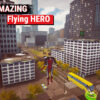
Amazing Flying Hero is a third-person action game set in a large 3D metropolis. Play as a powerful hero, fly above the streets or take control of a helicopter, and use vehicles to explore the city. Along the way, you can complete nine missions or challenges, fight enemies, move heavy objects, and help rescue citizens. The open city also lets you explore at your own pace, so you can choose whether to focus on objectives or simply get familiar with the surroundings.
Amazing Flying Hero gameplay and city exploration
The game combines movement, combat, flight, and vehicle handling. The hero can soar through the city, use laser fire, strike opponents, and lift hefty objects. Structures can also be demolished, adding another action element to the missions. For a different way to get around, enter a vehicle or fly a helicopter.
When starting out, take a moment to try the movement and flight controls in an open area. This makes it easier to judge how the character responds before approaching a mission or navigating around buildings. The city is expansive, so use the map-free environment to explore carefully and get comfortable with the available movement options.
Missions, challenges, and rescue objectives
There are nine distinct missions or challenges to undertake. Objectives include helping citizens, and the hero’s strength and mobility can be useful when moving around the metropolis. You can also roam freely between activities rather than treating every moment as a mission.
If a task involves combat or moving objects, check which actions are assigned to your mouse and keyboard before engaging. In particular, the laser and strike actions use different mouse buttons, while the grappling hook and object interaction have their own keys.
Amazing Flying Hero controls
The following keyboard and mouse inputs control movement, combat, flight, and vehicles:
- WASD: Move
- F: Ascend or land as the character
- E: Enter or exit a vehicle
- Left Shift: Sprint; ascend in the helicopter
- Spacebar: Leap; descend in the helicopter
- Right Mouse Click: Fire lasers
- Q: Use the grappling hook
- V: Pick up or toss an object
- Left Mouse Click: Strike
- Esc: Open the menu
- G: Reset the vehicle
Some keys have different functions depending on whether you are controlling the hero or the helicopter. For example, Left Shift and Spacebar are used for helicopter ascent and descent, while they control sprinting and leaping on foot. If an input does not produce the expected action, check which character or vehicle is currently active.
Tips for getting started
- Learn the movement first: Practise walking, sprinting, leaping, and flying before tackling more demanding challenges.
- Use the right interaction: Press E to enter or leave a vehicle, and G to reset it if needed.
- Choose your approach: Explore on foot, soar as the hero, or use a helicopter or vehicle to travel around the city.
- Keep rescue goals in mind: The game includes citizen-rescue objectives, so pay attention to mission tasks as you explore.
Amazing Flying Hero offers a mix of free-roaming city exploration, nine missions or challenges, flight, vehicle use, and combat. Learning the character and helicopter controls early can make it easier to navigate the metropolis, complete objectives, and decide how you want to explore.


