 admin
admin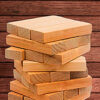
Tower Fall is a strategic board game where players move pieces to the top of a tower without letting the structure become unstable. You can play alone, challenge another player, or compete against the computer. The rules are easy to understand, but success depends on patience, careful placement, and a good sense of balance.
How to Play Tower Fall
The tower has 16 levels. Each level is built by arranging three bars in one direction, then placing the next three bars at right angles to them. This alternating layout helps form the structure players must keep steady as they move pieces upward.
Your task is to select a piece and raise it to the top of the tower. A lower starting position can earn more points when you successfully move that piece upward. This makes the choice of which block to move important: a move with a higher potential score may also require extra care.
- Take time to assess the tower before choosing a piece.
- Consider how removing a block could affect the structure above it.
- Place moved pieces carefully and avoid rushing, especially when aiming for a higher score.
Game Modes and Scoring
Tower Fall offers three ways to play: solo mode, two-player mode, and a match against the computer. In solo play, the goal is to collect as many points as possible. Moving a block from a lower level to the top earns more points than moving one from a higher position.
In two-player mode, you can take turns testing your precision against another person. Playing against the computer offers a different challenge, while solo mode lets you focus on scoring at your own pace. Before starting, choose the mode that suits whether you want to practise, compete, or pursue a personal high score.
Tips for Building a Stable Tower
Stability is central to every move. Look at the surrounding pieces and the tower’s overall balance rather than focusing only on the block you want to lift. If you are unsure, choose a move that seems less disruptive and take a moment to check the arrangement before proceeding. A calm, deliberate approach is more useful than making quick moves.
The game also includes different settings, block types, and music options. These choices let you adjust the experience to your preference; if you want to concentrate on precise placements, selecting settings that feel comfortable can help keep your attention on the tower.
Tower Fall Controls
- Left mouse button (LMB): Grab a block.
- Right mouse button (RMB): Rotate the camera.
- Mouse wheel: Zoom the camera in or out.
Use the camera controls to inspect the tower from different angles before making a move. A clearer view can help you judge the arrangement and plan where to place a piece. Overall, Tower Fall rewards patience, observation, and precise handling: take your time, keep an eye on balance, and choose moves that support both stability and your scoring goal.


