 admin
admin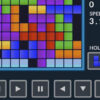
Tetris 24 is a classic block puzzle game where the goal is to arrange falling pieces and complete horizontal lines. Move and rotate the blocks to fit them into the grid; completed lines disappear and make room for more pieces. The game can be played on mobile devices and PC, making it easy to start a round using a keyboard, mouse, or touch controls.
How to play Tetris 24
As each block appears, choose where it will fit before it reaches the bottom of the board. Pieces can be moved sideways and rotated to line up with gaps. When a row is filled from edge to edge, it clears. Keep the playing area as open and even as possible so that future pieces have room to fit.
A useful approach is to avoid leaving isolated empty spaces beneath blocks. Try to build a relatively flat surface and place pieces where they complete rows without creating awkward gaps. If a piece does not fit immediately, consider how it could help set up a line clear later.
Tetris 24 controls
On PC, use the following controls:
- Mouse: Move blocks with the mouse.
- Left arrow: Move a block left.
- Right arrow: Move a block right.
- Up arrow: Rotate a block.
- Space: Drop a block.
- Ctrl: Hold or swap a block.
- P: Pause the game.
On a touchscreen, use the on-screen controls or the gestures supported by the game. If a control behaves differently on your device, check the game screen before starting a longer round. On PC, tapping the pause key can be helpful if you need to step away.
Tips for keeping the board clear
- Plan a few moves ahead: Check the shape of the current piece and the open spaces before placing it.
- Watch the edges: Leave room for pieces that need a wider or taller opening.
- Clear lines steadily: Regular line clears help prevent the stack from reaching the top.
- Use hold or swap thoughtfully: Save a useful piece for a moment when it fits your layout better.
Enjoy a quick puzzle session
Tetris 24 is easy to begin, but staying organized becomes more important as the grid fills. Use the controls that feel most comfortable, make space by completing full rows, and avoid stacking blocks without a plan. Whether playing on mobile or PC, the basic objective remains the same: fit the pieces together and keep the board manageable.


