 admin
admin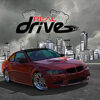
The RealDrive driving simulator combines open-world exploration with drifting, traffic races, vehicle tuning, and driving missions. Players can cruise through a detailed city, customize cars, and try different challenges while using realistic vehicle physics and sound effects.
What to expect from the RealDrive driving simulator
RealDrive is a free-to-play driving game with an open-world 3D environment. Its large maps give players room to explore the city, practise their driving, and take part in activities at their own pace. Detailed vehicle models and multiple camera views let you experience the roads from different perspectives.
If you are new to the game, spend some time getting used to the controls in open areas before attempting races. This can help you learn how each car responds and avoid losing control in traffic.
Driving modes and missions
The game offers several ways to drive, including drifting, arcade racing, races through traffic, and other missions. Drift challenges focus on handling and completing levels, while traffic races test your ability to manoeuvre among other vehicles. Burnouts are also available, with a system that can be used with any car.
- Drifting: Practise controlled slides and work through drift levels.
- Traffic racing: Navigate busy roads and demonstrate precise driving.
- Arcade races and missions: Take on different challenges across the maps.
- Free driving: Explore the city and get familiar with the vehicles.
For a more controlled start, try a drift or free-driving activity before entering traffic races. Use the available camera angles to find a view that makes it easier to judge turns and surrounding cars.
Cars, tuning, and upgrades
RealDrive includes a collection of vehicles, along with a car service for tuning and enhancements. Players can also use features such as nitrous oxide (NOS), turbo, and the burnout system. An interactive fuel station is part of the game world.
When adjusting a vehicle, make changes gradually and test how the car handles afterward. This makes it easier to understand the effect of an upgrade and choose a setup that suits drifting, racing, or city driving.
RealDrive driving simulator controls
The listed keyboard controls are:
- WASD or the arrow keys: Move the vehicle forward, backward, left, and right.
- Space: Use the handbrake.
- F: Activate nitro.
- B: Lock the front wheels for a burnout.
Use the handbrake carefully when learning to drift, as sudden inputs can make a car harder to control. Save nitro for a straight section or a moment when extra speed is useful.
Is RealDrive free to play?
The game description states that its primary mode is free to play and has no hidden fees. It also mentions that mission purchases are available. Check the options shown in the game before making any purchase, and review the details of an item or mission so you know what is included.
Final thoughts on the RealDrive driving simulator
The RealDrive driving simulator brings together open-world driving, vehicle upgrades, drifting, and several racing activities. Beginners can start by exploring the maps and learning the keyboard controls, then move on to missions and traffic races as they become more comfortable behind the wheel.


