 admin
admin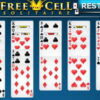
Freecell Solitaire is a card game that combines careful planning with straightforward moves. This version can be played on smartphones and tablets: use a mouse click or tap to select and reposition cards. The aim is to move every card to the foundation piles, arranging each suit in order from Ace to King.
How to Play Freecell Solitaire
A standard Freecell game uses a 52-card deck dealt face up into eight tableau columns. Four free cells provide temporary spaces for individual cards, while four foundation piles are used to build the completed suits. Because the cards are visible from the start, success depends on planning moves rather than uncovering hidden cards.
- Tableau: Build descending sequences, alternating red and black cards. For example, a black 9 can be placed on a red 10.
- Free cells: Place a single card in an empty cell when you need to clear space or reach a card beneath it. Each occupied cell reduces your room to maneuver.
- Foundations: Start each suit with an Ace, then add cards of that suit in ascending order through King.
On a touchscreen, tap the card and then its destination, or use the interaction supported by the game interface. With a mouse, click the card and the intended location. If a move does not work, check that the card follows the alternating-color and sequence rules.
Useful Freecell Solitaire Strategies
Keep free cells available
Free cells are valuable because they let you temporarily move cards that are blocking a useful sequence. Avoid filling all four early unless doing so clearly opens an important move. Before placing a card in a free cell, consider how you will move it out again.
Look for Aces and low cards
Moving an available Ace to a foundation creates a starting point for its suit. Low cards can also be important: moving them into a foundation may free tableau space or uncover cards needed elsewhere. Check the tableau before committing to a move, since a card that seems ready for a foundation may still be useful for building a sequence.
Use empty columns thoughtfully
An empty tableau column can help you rearrange cards and expose a sequence. Before clearing a column, consider whether you can use the space to move a longer descending run. Keeping several possible routes open is often more useful than making every immediately available move.
Enjoy a More Careful Game
Since all cards are visible, take a moment to scan the columns before each move. Prioritize moves that reveal useful cards, create space, or keep free cells open. Freecell Solitaire is available for play on mobile devices, and its click-or-tap controls make it easy to move cards as you work toward completing all four foundations.


