admin
admin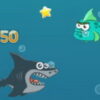
Mad Shark is an action game that challenges players to steer a shark through a dangerous underwater environment. As you swim, collect seafood, stars, lives, special abilities, and upgrades while fighting off submarines and avoiding mines, missiles, and toxic barrels. Knowing the basic controls and watching the hazards ahead can help you stay in the game longer.
How to Play Mad Shark
Use the Up and Down arrow keys to move the shark vertically. Press the space bar to shoot at threats in front of you. On a mobile device, tap the screen to fire. The game can be started by tapping or clicking, depending on the device you are using.
Movement and shooting serve different purposes: adjusting your position helps you navigate the screen, while firing lets you respond to incoming enemies. If you are playing on a keyboard, keep your fingers close to the movement keys and space bar so you can react without delay. On a touchscreen, use deliberate taps and keep the action area clear.
Collectibles and Upgrades in Mad Shark
Seafood, stars, lives, special abilities, and upgrades are among the items to look out for during a run. Collectibles can make a difference as you progress, but moving toward an item may also bring you closer to a hazard. Check the surrounding area before changing course, especially when obstacles or enemies are nearby.
- Seafood and stars: Collect them when the route is reasonably clear.
- Lives: Pick them up when possible, but avoid taking an unnecessary risk to reach one.
- Abilities and upgrades: Gather these as they appear and make use of any advantage they provide.
The exact benefit of an ability or upgrade can depend on what appears in the game. Pay attention to changes after collecting one rather than assuming every item works the same way.
Dealing With Enemies and Hazards
Submarines can be attacked with your weapon, while mines, missiles, and toxic barrels are dangers to avoid. Keep looking across the play area instead of focusing only on the shark or the nearest collectible. This gives you more time to adjust your vertical position or fire when an enemy comes into range.
When the screen becomes crowded, prioritize avoiding hazards over collecting optional items. A small movement can be safer than crossing a dangerous path for a star or upgrade. Use the Up and Down keys in measured adjustments, and fire when you need to confront a submarine.
Quick Tips for a Better Run
- Learn how quickly the shark responds to movement before making larger adjustments.
- Keep track of mines, missiles, and barrels as well as submarines.
- Do not chase every collectible if doing so puts the shark in immediate danger.
- Use the controls that feel most comfortable for your device: keyboard movement and firing, or touchscreen shooting on mobile.
Conclusion
Mad Shark combines underwater movement, shooting, collectible items, and obstacle avoidance. Use the Up and Down arrows to navigate, the space bar to fire on a keyboard, or a screen tap to shoot on mobile. Stay alert, collect useful items when it is safe, and focus on avoiding hazards to make each run last longer.