 admin
admin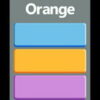
Tap The Right Color is a simple challenge built around a deceptively tricky task: identifying the precise hue and choosing it quickly. A color may look easy to recognize at first, but subtle differences can make a fast selection less certain. Play on a smartphone by tapping the display, or use a computer mouse to make your choice.
How to play Tap The Right Color
The basic aim is to select the color that matches the one requested or shown in the challenge. Look carefully at the available hues, then choose the closest match without spending too long on the decision. The instructions are straightforward:
- On a smartphone: Tap the relevant color on the screen.
- On a computer: Move the mouse to the color and click.
Take a moment to understand what the screen is asking before choosing. If several options appear similar, compare them side by side rather than relying only on a quick impression.
Tips for choosing the correct hue
Compare small differences
Colors that share a general name can still vary in brightness, saturation, or undertone. Check which option looks closest to the requested hue, paying attention to whether it appears lighter, darker, warmer, or cooler. These visual comparisons can help narrow down similar choices.
Keep the display easy to read
Your screen settings and surrounding light can affect how colors appear. For a clearer view, use a comfortable brightness level and avoid strong reflections on the display. On a computer, sit at a consistent angle; on a phone, hold the screen where glare is less likely to interfere.
Balance speed with accuracy
The challenge is designed for quick decisions, but rushing can make close shades harder to distinguish. Scan the choices once, identify the strongest match, and then make your selection. If the game provides feedback, use it to notice which kinds of color differences are easiest or hardest for you to spot.
Why a simple color challenge can be tricky
Color perception is influenced by context. A hue may look different beside another color than it does on its own, and screens can vary in how they display shades. This is why a seemingly obvious selection can take a little thought. The challenge is a light, accessible way to practise observation and visual comparison, rather than a formal test of color vision.
Enjoy Tap The Right Color
Tap The Right Color keeps its central task simple: recognize a hue and select it using a touch screen or mouse. For a more comfortable round, reduce glare, look closely at neighboring shades, and aim for a good balance between speed and accuracy.


