admin
admin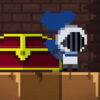
Pixel Castle Runner is a retro-style endless runner with two unusual gameplay features: the character can throw blades, and hitting a wall does not immediately end the run. Instead, the collision changes the character’s pace and the camera’s movement, creating a brief opportunity to recover. Understanding these mechanics can help you react more deliberately and keep your score going.
How Pixel Castle Runner works
The game is designed as an ongoing run rather than a level-based experience with a final stage. When a run restarts automatically, your score is retained. This means a restart does not necessarily erase your progress, so you can continue building on the score already earned.
For controls, use the touchscreen on a mobile device or click the mouse on a PC for the main interaction. Press A to throw a blade. If you are playing on a keyboard, keep the blade control in mind while using the mouse or touchscreen input for the other action.
What happens when you hit a wall?
A wall collision behaves differently from the immediate game-ending impact found in many runners. The character stops, while the camera slows down for a short time. This pause gives you an opportunity to jump and continue moving instead of losing the run at once.
After the slowdown, the character moves a little faster to reduce the distance from the camera. The change in pace is important: a recovery moment is followed by a faster movement phase, so pay attention to what is happening on screen rather than assuming the character will keep the same speed.
Practical timing tips
- React during the camera slowdown. Treat the pause as a brief chance to jump, not as a permanent stop.
- Watch the character after recovery. The increased speed helps close the gap with the camera, so be ready for the pace to change.
- Use blades deliberately. Press A when you intend to throw; the game description identifies this as the blade control.
- Keep an eye on your score. Because the game restarts automatically while retaining your score, check the displayed total as you continue.
Controls on mobile and PC
Pixel Castle Runner supports touch input on phones and mouse clicks on computers. The listed blade-throwing control is the A key. On a PC, make sure the game window is active before using the keyboard, and on a phone, tap the screen when you need to provide touch input. The exact feel of each control can vary by device, so a few careful inputs at the beginning can help you get accustomed to the response.
What to expect from an endless run
There is no stated final level or finish line: the run continues and restarts automatically, with the score saved across the restart. The central challenge is responding to the game’s changing pace, especially after a wall collision. Using the jump opportunity during the camera slowdown and staying alert when the character speeds up are practical ways to make better use of the mechanics.
In short, Pixel Castle Runner combines retro-style running with blade throwing, a recoverable wall collision, and score-preserving automatic restarts. Learn the touch or mouse input, remember that A throws blades, and watch for the camera slowdown and the faster movement that follows.